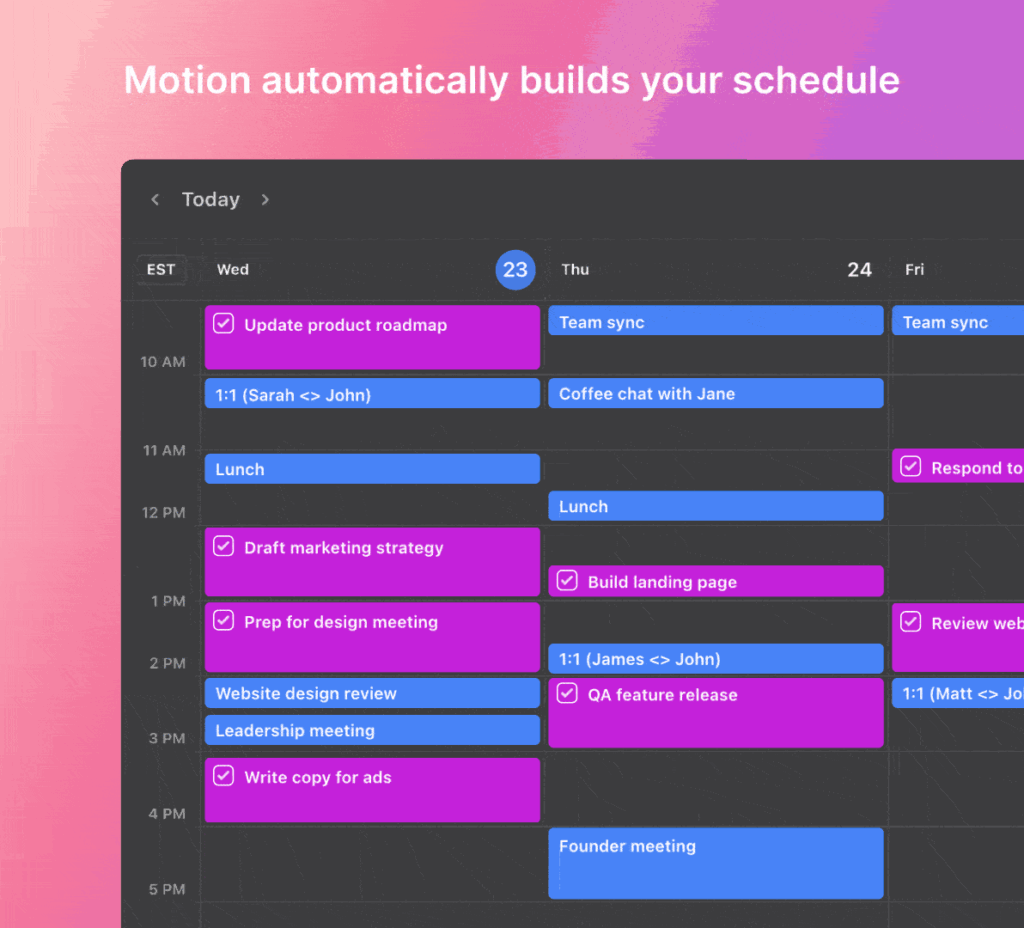
Automated scheduling coordination capabilities
Professionals who juggle recurring meetings often spend hours each week sorting out times and locations. An automated scheduling assistant removes that friction by handling the coordination automatically. Users gain back focus time while still keeping calendars accurate across teams and clients.
The right tool does more than block slots. It connects to existing calendars, sends reminders, creates meeting links, checks availability, and lets multiple people share access without confusion. These capabilities turn scheduling from a chore into a background process that runs smoothly.
Real-time calendar syncing across platforms
Calendar Syncing
Calendar syncing forms the foundation of any reliable automated scheduling assistant. The feature pulls events from Google Calendar, Outlook, and other platforms so no double bookings occur. When a new meeting is set, the change appears instantly on every connected device. Teams avoid the common problem of one person seeing an open slot while another already has a conflict. In most systems the sync runs every few minutes and supports multiple accounts at once. This keeps everyone looking at the same accurate picture without manual updates.
Automated Reminders
Automated reminders cut down on no-shows by sending timely notices to every participant. Most tools let users choose how far in advance the message goes out, whether one day or just one hour before the call. The automated scheduling assistant can also include the agenda or attached files so attendees arrive prepared. Custom rules let different meeting types trigger different reminder styles. For example, client calls might receive a more formal note while internal stand-ups stay brief. The result is fewer last-minute cancellations and smoother daily workflows.
Zoom Link Generation by an Automated Scheduling Assistant
Zoom link generation saves another manual step that used to slow down meeting setup. Once a time is confirmed the automated scheduling assistant creates a unique video link and inserts it into the calendar invite. Some versions even add dial-in numbers or recording settings automatically. This matters for sales teams and consultants who run many video calls each day. The link stays consistent even if the meeting time shifts later. Attendees receive everything they need without extra emails or copy-paste errors.
Availability Polling
Availability polling lets organizers propose several time options and let participants vote on the best slot. The automated scheduling assistant collects responses and picks the time with the most support. This approach works especially well when schedules are packed and finding overlap feels impossible. Polls can be limited to certain groups or opened to external guests. Results update in real time so everyone sees the current standings. Once a choice is made the tool books the meeting and clears the other options from calendars. This pairs well with Turn a scheduling assistant website into an automated scheduling…, which works through concrete examples.
Multi-User Access
Multi-user access allows entire teams to manage one shared calendar without handing over full login details. Permissions can be set so assistants see availability but cannot change executive schedules, for instance. The automated scheduling assistant logs every change so accountability stays clear. Companies with rotating support staff find this feature essential for keeping coverage continuous. Guests can be added temporarily for specific projects and then removed again. Security settings usually include two-factor checks before any major calendar edits are allowed.
Automated Scheduling Assistant Summary
- Calendar syncing prevents conflicts by keeping every connected account up to date automatically.
- Automated reminders reduce no-shows through customizable notices sent at the right moment.
- Zoom link generation creates and inserts video details without extra steps from the organizer.
- Availability polling gathers group input and books the most popular time slot quickly.
- Multi-user access lets teams share calendars safely with role-based permissions in place.
Free versions of tools such as the doodle scheduling assistant often limit advanced polling or team sharing. Paid plans unlock deeper calendar connections and branding options. Users should test both tiers against their actual meeting volume before committing. The five capabilities work together, so missing even one can create noticeable gaps in daily coordination.
Customizable automated reminders to reduce no-shows
Start by listing the meeting types your team runs most often and match those needs to the five capabilities above. A sales group may prioritize Zoom link generation and availability polling, while an internal operations team might focus first on multi-user access and reminders. Run short trials with two or three options to see how each handles your calendar setup in practice.
Once the automated scheduling assistant fits your workflow, train a few power users who can help others adopt it. This keeps adoption smooth and prevents old email chains from returning. Over time the time saved adds up across the whole organization.
About this guide: The focus here is helping professionals evaluate virtual scheduling assistant features before adoption. Related topics include shared calendar scheduling assistant setups and outlook email scheduling assistant scenarios.
Training power users to prevent email chains
-
1. Calendar Syncing
An automated scheduling assistant relies on seamless calendar syncing to prevent conflicts across Google Calendar, Outlook, and other platforms. Real-time updates ensure every connected device reflects the latest availability, eliminating double bookings. Sync occurs every few minutes and supports multiple accounts simultaneously, giving teams one accurate view without manual intervention. This foundation keeps professionals focused on work rather than constant calendar checks.
-
2. Automated Reminders
Automated reminders sent by an automated scheduling assistant dramatically reduce no-shows. Users customize timing from one day to one hour before meetings, with options to include agendas or attachments. Timely notifications reach all participants automatically, maintaining high attendance rates while removing the need for manual follow-ups. The feature turns scheduling into a reliable background process.
-
3. Zoom Link Generation
Zoom link generation within an automated scheduling assistant creates and inserts video meeting details instantly upon booking. Links appear in calendar invites and confirmation emails without extra steps. This capability saves time for remote teams and clients, ensuring every meeting has the correct connection information ready before participants even open their calendars.
-
4. Availability Polling
Availability polling lets an automated scheduling assistant gather preferred times from multiple participants through simple shared links. The tool analyzes responses, identifies the best slot, and books it automatically. This removes endless email chains while respecting everyone’s schedules, making group coordination effortless and accurate across distributed teams.
-
5. Multi-User Access
Multi-user access in an automated scheduling assistant allows secure sharing of calendars and booking permissions among colleagues or clients. Role-based controls prevent unauthorized changes while enabling smooth delegation. Teams maintain full visibility and coordination without confusion, turning complex scheduling into a streamlined, collaborative experience that scales across organizations.
- Virtual Scheduling Assistants in Distributed Teams
- Connecting Calendars to a Virtual Scheduling Assistant
- Webex Assistant Compared With Built-in Meeting Controls
- Core Components of the Cisco Webex Assistant
- Activate Webex Assistant on Your Account in Minutes
{“@type”:”Article”,”image”:[“https://meetingadvisor.io/wp-content/uploads/2026/07/five-essential-capabilities-of-automated-scheduling-assistan-1.gif”],”author”:{“name”:”Edisyn”,”@type”:”Organization”},”@context”:”https://schema.org”,”headline”:”Five Essential Capabilities of Online Scheduling Assistants”,”keywords”:”automated scheduling assistant, digital scheduling assistant, virtual scheduling assistant, scheduling assistant website”,”publisher”:{“name”:”Meeting Advisor”,”@type”:”Organization”},”wordCount”:1112,”inLanguage”:”en”,”description”:”The article ranks five core capabilities that define effective digital scheduling assistants, using examples from tools that support automated booking and Zoom links. It targets professionals managing frequent meetings who need to identify must-have functions. Coverage stays tied to cluster terms such as virtual scheduling assistant and scheduling virtual assistant.”,”dateModified”:”2026-07-27T16:05:56.512Z”,”timeRequired”:”PT6M”,”datePublished”:”2026-07-27T16:05:56.512Z”}
{“@type”:”BreadcrumbList”,”@context”:”https://schema.org”,”itemListElement”:[{“item”:”https://edisyn.io”,”name”:”Home”,”@type”:”ListItem”,”position”:1},{“item”:”https://edisyn.io/category/ai-tools/”,”name”:”AI Tools”,”@type”:”ListItem”,”position”:2},{“name”:”Five Essential Capabilities of Online Scheduling Assistants”,”@type”:”ListItem”,”position”:3}]}